How to Use AuthGuard Key System 🔑
This guide explains how to register on AuthGuard, create revenues with Linkvertise, and integrate the library into your script.
📝 Registering on AuthGuard
To register on AuthGuard, click the “Get Started” button. You can sign up with Discord or an email.
💰 Creating Revenues
Using Linkvertise
- Create a Linkvertise account
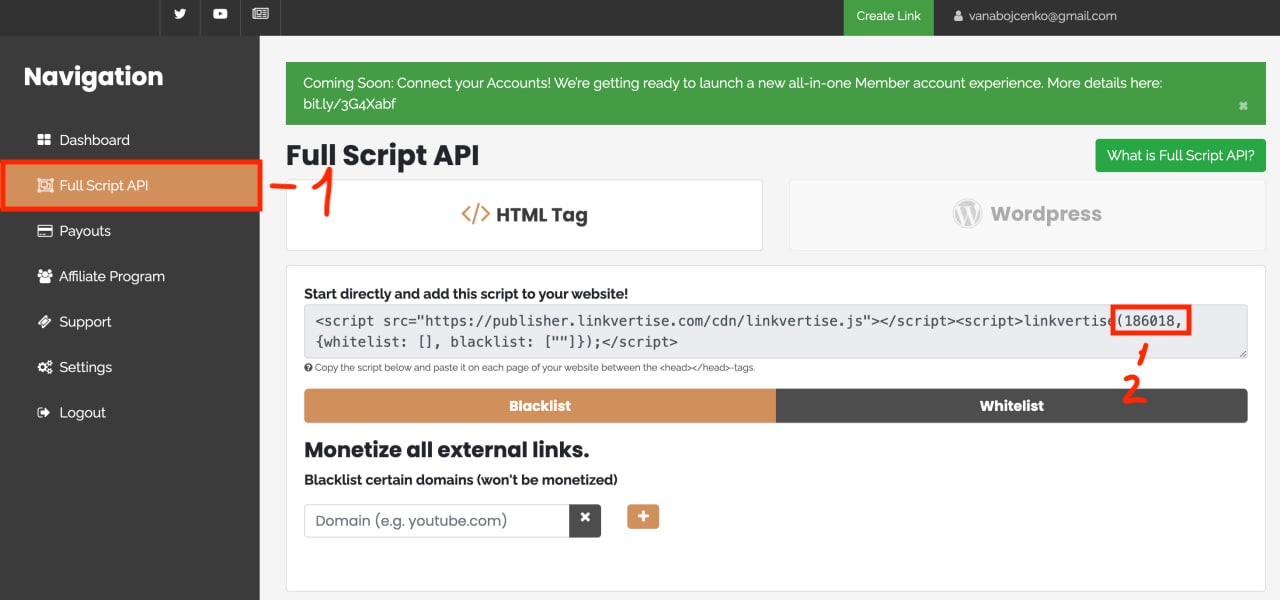
- Go to the Full Script API page and enable it.
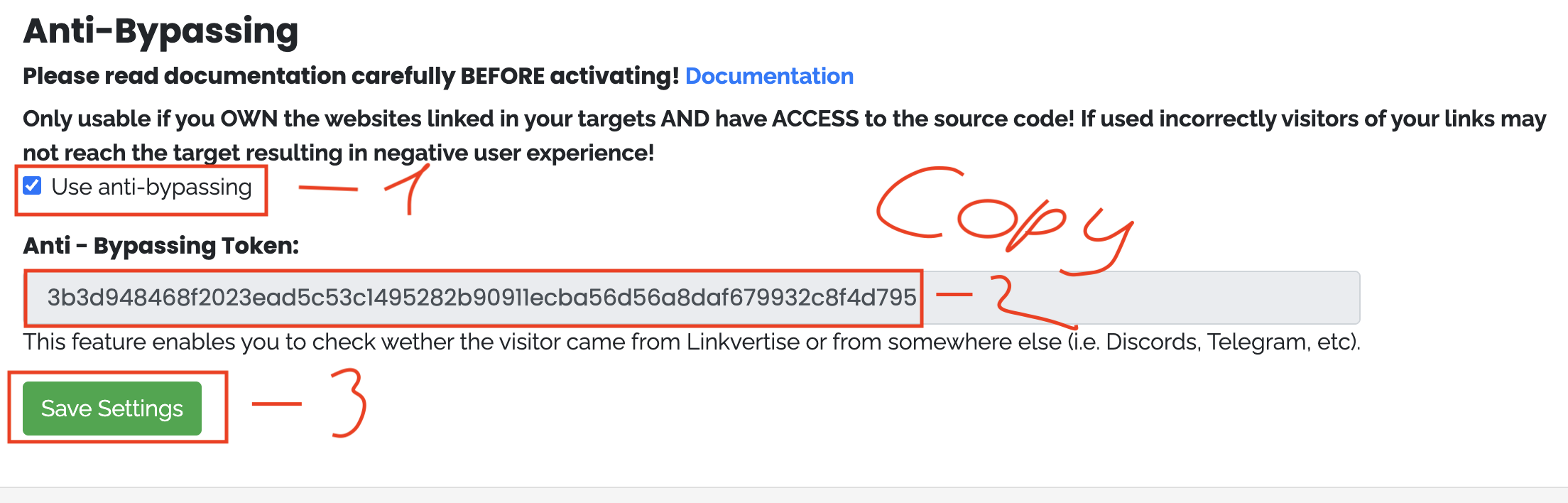
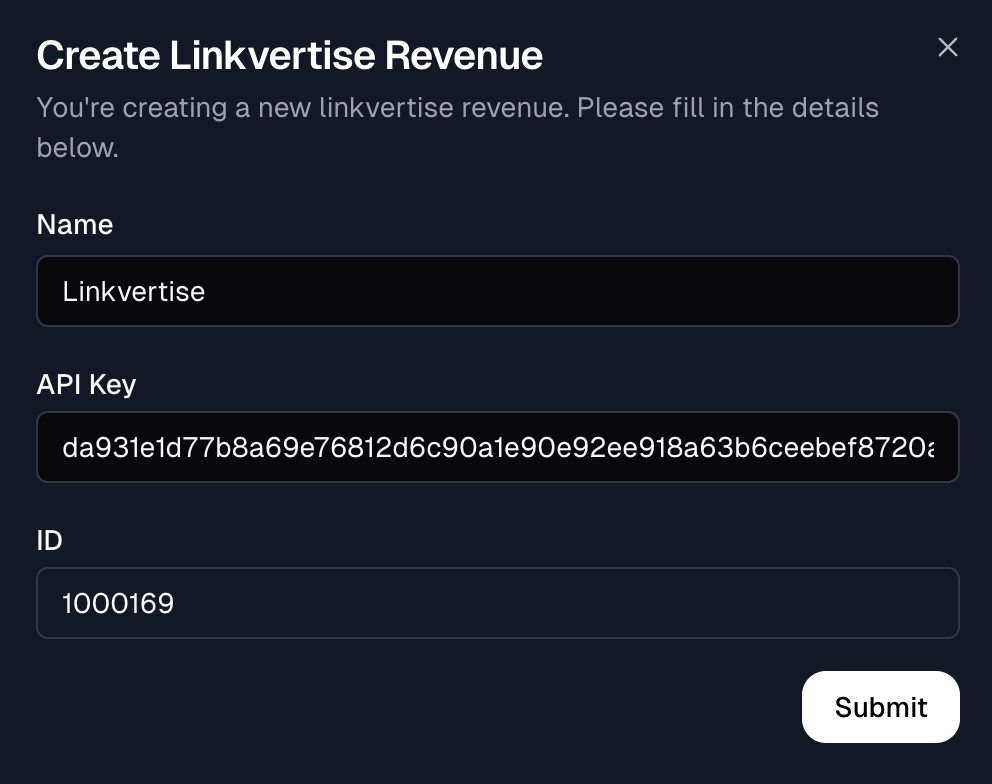
- Find your Linkvertise ID and Anti-Bypassing Token in account settings.
🏗️ Create Providers
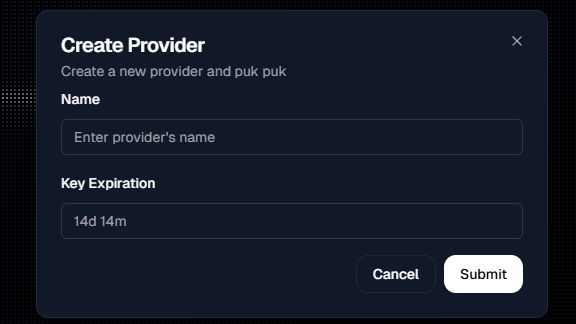
- Click Create Provider.
- Enter a Name, e.g. Linkvertise.
- Set Key Expiration, e.g. 1d.
- Click the checkmark to edit provider checkpoints.
- Select a Revenue → Linkvertise.
- Click X to finish.
📚 Library v1
If you don’t fully understand this section, you may skip it and go to Storage.
🔗 Get Key Link
AuthGuard.GetKeyLink({
Service = __SERVICE_ID__
}) --> string✅ Validate Key
AuthGuard.ValidateKey({
Service = __SERVICE_ID__,
Key = 'your_key_here'
}) --> string (invalid or validated)Checks if the key is valid and returns validated or invalid.
- AG_ExpiredAt: number (UTC timestamp)
- AG_Hwid: string (HWID)
- AG_IsPremium: boolean
- AG_DiscordId: string (Discord ID)
🧪 Example Usage
local key = "YOUR_KEY_HERE"
print("Get your key at:", AuthGuard.GetKeyLink({
Service = __SERVICE_ID__,
}))
if AuthGuard.ValidateKey({
Service = __SERVICE_ID__,
Key = key
}) == 'invalid' then
warn("Invalid Key")
return
end
-- Your actual code starts here
print("Key valid. Running script...")
print("Your HWID is:", AG_Hwid)
print("Your key expires at:", os.date('%Y-%m-%d %H:%M:%S', AG_ExpiredAt))
if AG_IsPremium then
print("You are a premium user!")
else
print("You are a free user.")
end
print("Your Discord ID is:", AG_DiscordId or "Not linked")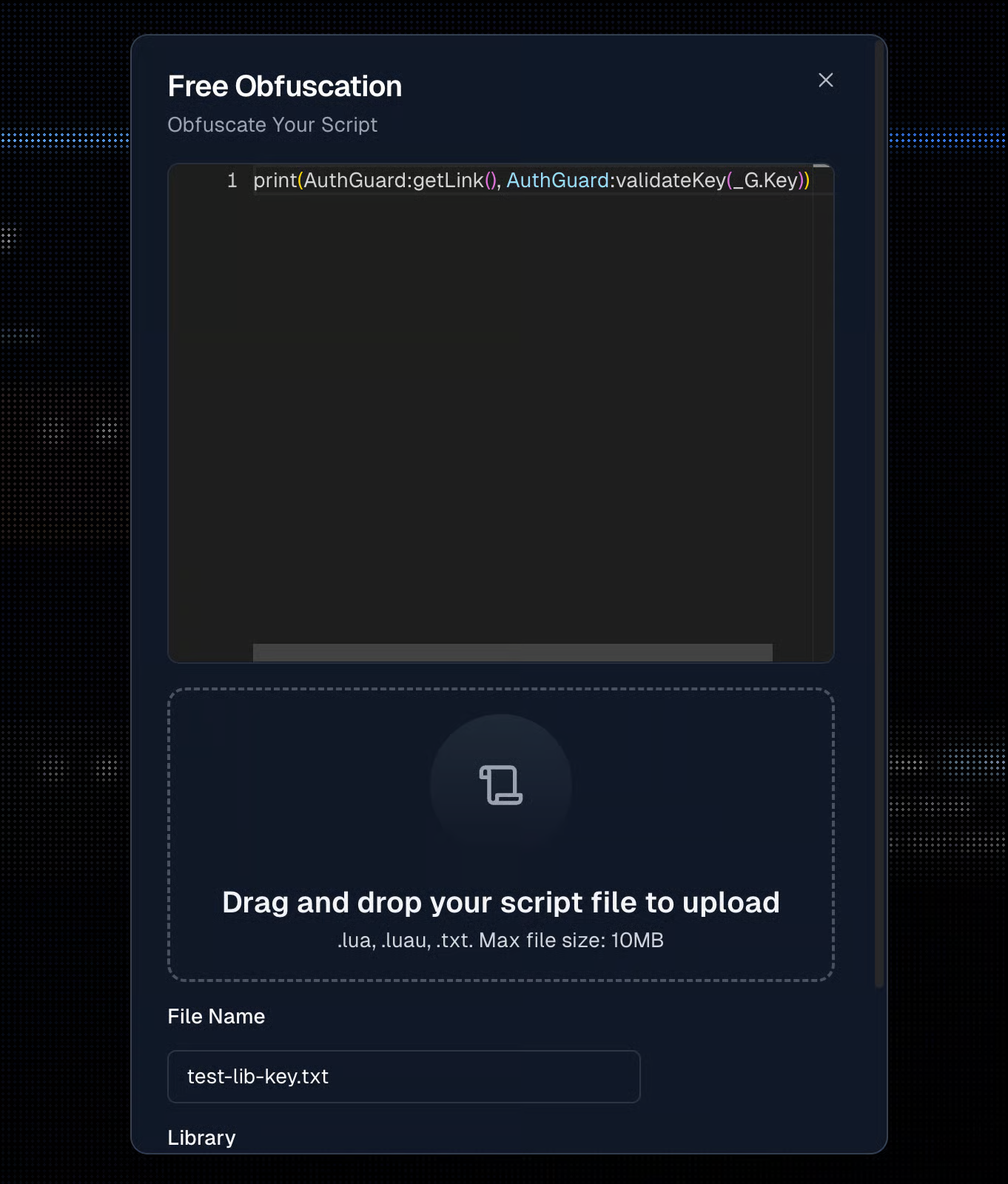
📚 Library – ui-v1 Setup
You can use your own UI or use the example UI below.
Source UI: AuthGuard GitHub UI
UI + Library: Download Full Code
Storage (Upload Script / Obfuscate / Get Loadstring)
- Open the AuthGuard Dashboard → STORAGE.
- Click Upload Script → choose Free.
- Upload your code or the bundle from the link above.
- Click Obfuscate → then the info icon.
- Copy the Loadstring and run it in your executor.
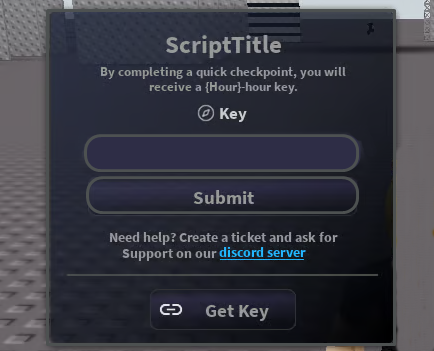
👀 Preview
🔎 Final Thoughts
The AuthGuard Key System simplifies Roblox script security. Setting it up with Linkvertise + obfuscation enhances protection and UX.
Source: docs.authguard.org
👉 Looking for Premium Key & Loader setup? Go to Premium & Loader Guide